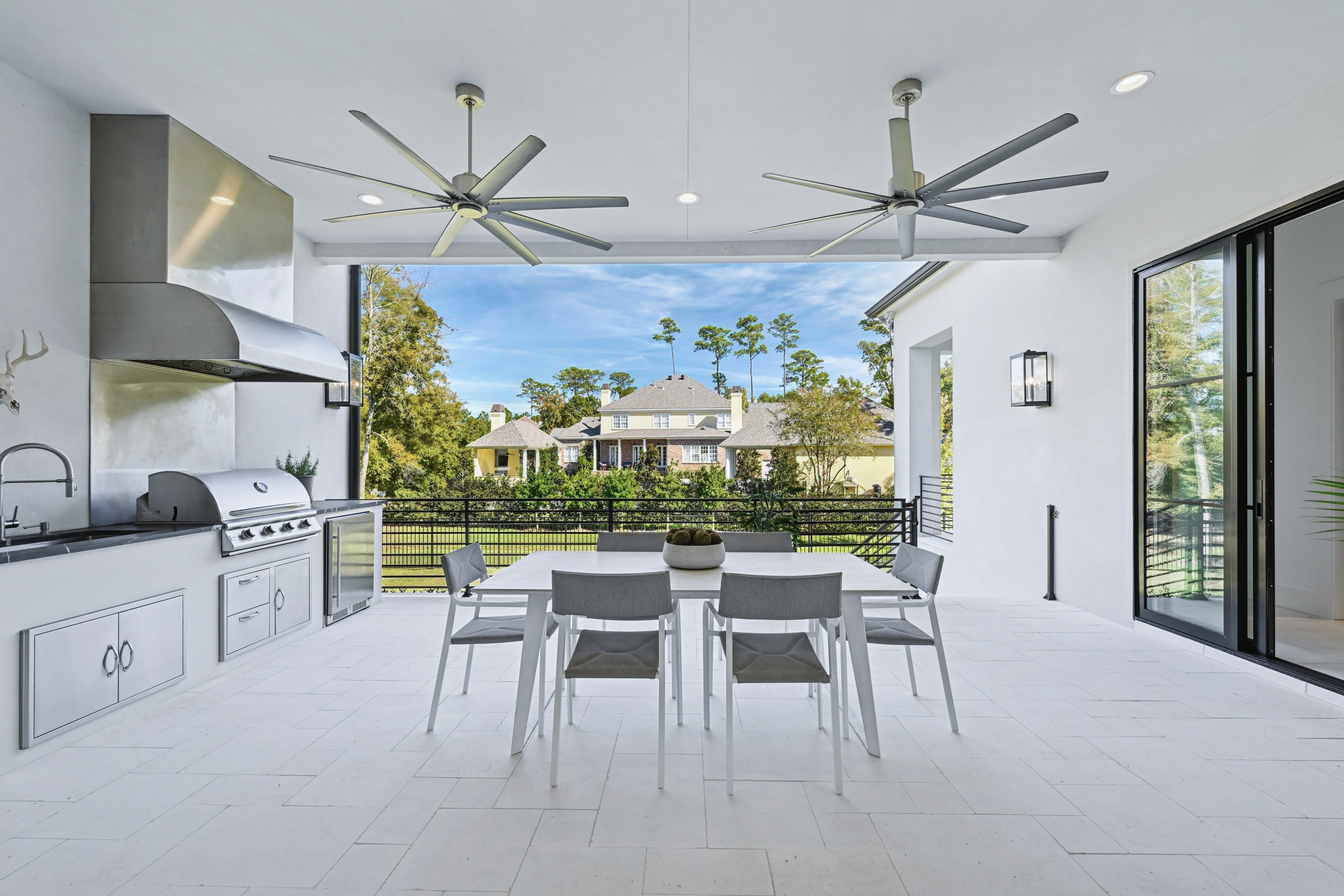
AI real estate photo editing software is now part of daily work for many agents, photographers, and marketing teams, whether they manage a few listings a month or hundreds. You may already be testing new tools, wondering how they fit into your current workflow, what they handle well, and where a human editor is still essential. This article looks at key features, real benefits, and the main use cases, then highlights where AI falls short and how to blend it with professional editing. Read on as we break down each area so you can make clear decisions.
What is AI Real Estate Photo Editing Software?
Definition
AI real estate photo editing software uses machine learning to handle routine image corrections so you can move faster while keeping a clear visual standard.
This type of software analyses each photo, identifies common real estate issues (exposure, color, distortion, clutter), and applies targeted adjustments automatically, often in bulk and within an online or integrated workflow.
Key Features
Auto‑enhancement
Tools can adjust exposure, contrast, saturation, and clarity in one pass so interiors and exteriors look balanced and ready for review.
Automatic white balance and color cast correction
The system detects color temperature issues and neutralizes yellow, blue, or green casts to keep walls, ceilings, and floors accurate.
Sky replacement and window view enhancement
AI can detect skies and windows, then replace grey or blown‑out areas with clearer views or more attractive skies while keeping edges clean.
Straightening, lens correction, and cropping suggestions
Algorithms recognize leaning lines, barrel distortion, and awkward framing, then apply or recommend corrections for a more stable image.
Object and blemish detection
Smaller distractions such as sensor dust, minor cables, or small floor items can be flagged and removed automatically in many cases.
Presets or style profiles for real estate
Some platforms offer profiles tuned specifically for property photos, giving interiors and exteriors a repeatable look without manual setup.
Batch processing and workflow integration
Cloud upload, APIs, and plugins make it possible to process large folders, connect to existing systems, and return edited files into your normal tools.
Read more: 5 Best Real Estate AI Photo Editor Tools in 2026: Speed, Quality, and Scale
Benefits of Using AI Real Estate Photo Editing Software
When used with clear rules and review steps, AI editing can support both daily production needs and broader visual goals.
Speed and scalability
Large sets of photos can be processed in minutes, which helps agents, photographers, and marketing teams keep up with tight listing schedules.
Cost efficiency
Automated corrections reduce the time spent on basic adjustments, lowering the per‑image cost for routine work and leaving budget for critical images.
Consistency across portfolios
Similar logic is applied to every frame, which supports a steady look across properties, offices, and regions with fewer variations between editors.
Accessibility for smaller teams
Non‑experts gain a stronger starting point, allowing smaller agencies or individual agents to present a more polished image set without deep editing skills.
Freeing up creative time
Professional editors and photographers can spend less time on repetitive tasks and more time on selective retouching, storytelling, and complex projects.
AI Real Estate Photo Editing Software Use Cases
AI real estate photo editing software works best when you match its strengths to specific parts of your production flow.
Fast listing turnarounds: High‑volume agents, iBuyers, and property managers can send batches of images for instant baseline edits, helping them publish new listings on the same day as the shoot.
First‑pass editing before human refinement: AI handles exposure, color, and basic cleanup so human retouchers can focus on key images, window pulls, and local adjustments instead of repetitive work.
Bulk enhancement for rentals and mid‑tier properties: Rental portfolios, mid‑range sales, and legacy listings often need clean, consistent photos rather than intensive retouching, which suits AI processing well.
Standardized franchise or brand look: Networks with many offices can apply the same style profile across regions, keeping a stable visual identity even when images come from different photographers.
Internal previewing and selection: Teams can run AI edits on full shoots, then use these improved previews to choose hero shots and plan further editing before investing more time.
Read more: 5 Mistakes You're Making With Your Real Estate Photo Editing AI
When Can You Not Rely on AI Real Estate Photo Editing Software?
There are still many situations where human judgment and manual editing remain essential for reliable, accurate results.
Complex object removal and heavy decluttering: Large items, complicated reflections, or sensitive content usually need careful masking and reconstruction that goes beyond current AI tools.
High‑end or luxury listings: Premium properties often demand precise control over color, texture, and mood, along with closer collaboration with agents, owners, and stagers.
Advanced HDR and window work: Blending multiple exposures, balancing interior and exterior detail, and deciding how bright the outside view should feel requires local, case‑by‑case decisions.
Virtual staging and renovation visuals: Adding furniture, changing finishes, or illustrating future upgrades needs design sense and clear communication, which AI cannot fully replace.
Detailed brand style and regional expectations: Very specific tone curves, color palettes, and local buyer preferences are better handled through human‑guided style development and ongoing review.
Ethical and compliance boundaries: Choices about what to remove, what to adjust, and what might misrepresent a property must be guided by local rules and professional standards, not only by automation.
Read more: AI HDR Real Estate Photo Editing vs. Manual: Why It Works and How AI Is Taking Over
How to Combine AI Editing with Human Expertise?
The strongest results come from treating AI as one layer in a structured, human‑led workflow.
1. Use AI for Baseline Corrections, Humans for Refinement
Start by letting AI handle the “heavy lifting” on every file: exposure balance, contrast, simple color fixes, basic noise reduction, and lens correction. This gives you a fast, consistent baseline across full shoots.
Human editors then review the results, refine important images, adjust local areas (windows, ceilings, furniture), and apply your brand’s preferred look. This division of work keeps quality high without slowing down delivery times.
2. Establish Clear Rules for AI‑Only vs. AI + Professional Editing
Not every property needs the same level of attention. Create simple rules that define which categories receive AI‑only editing and which always get human refinement. For example, internal previews, rentals, or mid‑tier listings may be suitable for AI‑only workflows, while luxury homes, developer projects, and brand campaigns go through AI plus professional editing.
Documenting these rules helps teams make quick decisions and keeps expectations aligned with owners and partners.
3. Set Up Review Workflows and Escalation Paths
AI outputs should not go straight from the tool to the final listing without checks, especially when brand and compliance standards matter.
Build a review step where either a retoucher or a designated team member quickly scans batches for issues such as odd colors, artifacts, or missing details in windows and shadows. Make it easy to flag problematic files and send them for full manual editing. Over time, this feedback loop also helps you adjust AI settings for better default results.
4. Treat AI as a Productivity Layer in a Broader Visual Strategy
AI works best when it fits into an existing visual strategy that covers capture, editing, and publishing. Connect your AI workflow to your shooting guidelines, style guide, file naming, and delivery methods so everything moves smoothly from camera to listing.
View AI as a productivity layer that supports these standards: it speeds up routine steps, reduces manual effort, and gives professionals more time to focus on creative work, complex edits, and client‑specific requests.
Read more: Best Real Estate Photo Editing Services for the US
Esoft’s Approach to AI and Professional Real Estate Photo Editing
With more than 20 years dedicated to real estate visuals, Esoft combines technology and human expertise to support leading real estate businesses, photographers, and marketing teams worldwide. Our role is to help you handle volume without losing the control and nuance your brand and clients expect. Autopix is an AI-only real estate photo editing focuses on consistent quality and streamlined workflow on day-to-say listing production.
What Autopix does in one automated pass
HDR and exposure enhancement with color and white‑balance correction
Window enhancement with three levels (Light, Natural, Strong)
360° panoramic sky replacement with curated, realistic skies
TV‑screen blackout to remove common distractions
After delivery, users can fine‑tune images (brightness, contrast, crop, sky swap, etc.) directly in the browser.
Why it matters for real estate teams
Built specifically for property imagery and bracketed interiors/exteriors
Fast, predictable turnaround (batches typically complete within about an hour)
Simple, flat pricing around $0.30 per image, post‑paid and pay‑as‑you‑go
Fits into larger outsourced workflows where AI handles volume and human teams focus on complex or brand‑critical work
Autopix illustrates how AI real estate photo editing software can move beyond “nice‑to‑have” filters into a reliable production layer that supports scale, consistency, and clear unit economics.

Conclusion
AI real estate photo editing software is now a practical part of modern production workflows, handling fast exposure, color, and basic cleanup so teams can move listings online sooner. Used well, it supports speed, scale, and consistency across portfolios, especially when paired with clear rules about where human editors step in. Complex retouching, luxury marketing, and brand‑specific style still rely on professional judgment, which is why a hybrid approach works best. If you want to explore an AI‑human workflow for your visuals, contact our Esoft team!
Related Blogs
What Is AI Real Estate Photo Editing Software? Features, Benefits, and Use Cases
AI Photo Editing
How AI Real Estate Photo Editing Tools Are Transforming Property Marketing
AI Photo Editing

Why AI Real Estate Photo Editing Services Are the Future of Property Listings
AI Photo Editing
AI Photo and Video Editing for Real Estate Listings: Features, Tools, and Trends
AI Photo Editing

What are real estate panorama photo editing services? How can they benefit your business?
Photo Editing

Common mistakes and how to fix interior real estate photo editing?
Photo Editing



Linh Phan
Content Strategy Executive
No Spam, Just Updates
Our fresh blogs provide technical and industrial information that helps strengthen your business. Sign up to be the first to receive the new updates
