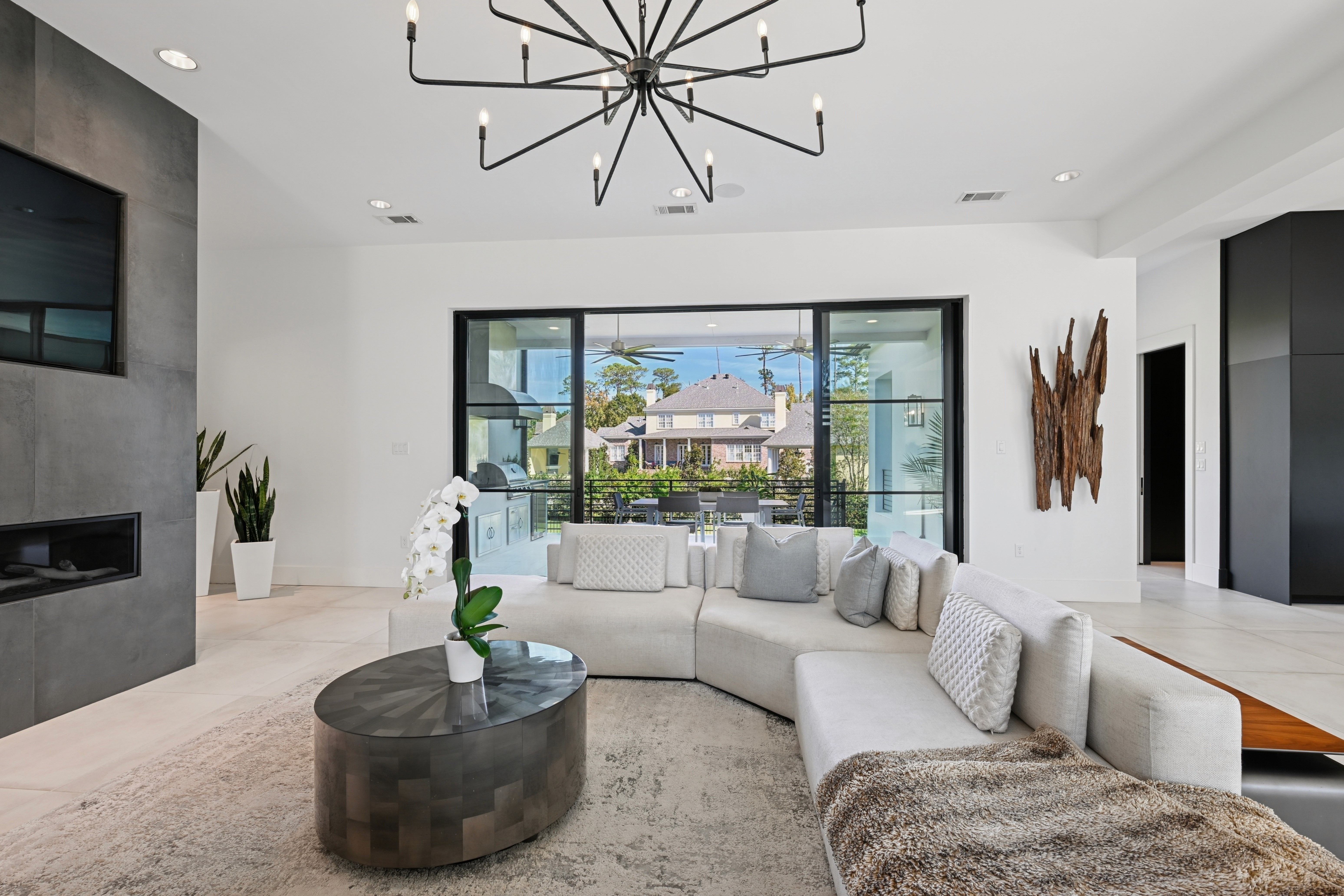
Editing photos with AI has become standard in real estate, from solo agents to large media teams. Almost every workflow now includes at least one AI real estate photo editor to speed up HDR blending, sky replacement, and base corrections. The challenge is no longer whether to use AI, but which tools fit your pipeline and how to keep results consistent across photographers, offices, and clients. In this article, we break down why adoption is rising, the six best tools for 2026, and how to get the benefits without losing control of quality.
The Rise of AI Photo Editor Tools in the 2026 Real Estate Market
AI has moved from experiment to staple in real estate photo workflows. Several pressures are driving that shift.
Reasons Businesses Are Adopting Real AI Photo Editor Tools
Faster Turnaround Expectations
Buyers scroll quickly, and portals move fast. Property listings are often skipped in under one second if the lead image feels dark or unpolished. At the same time, agents expect same‑day or next‑day delivery as a norm, especially in hot markets.
In 2026, AI tools can batch‑edit photos in under 60 minutes, and agencies using AI for basic enhancements report up to a 50% reduction in turnaround times (Clipping Expert Asia). That speed lets listings go live within hours of a shoot, not days, which directly supports faster lead generation and revenue.
Pressure to Control Costs While Scaling
As listing volume grows, adding more in‑house editors or freelancers does not always make sense. Real estate firms with structured AI programs are seeing returns of 300–500% in the first year , driven by labor efficiency and quicker time to market (The AI Consulting Network).
An AI real estate photo editor offloads repetitive HDR blending, base corrections, and noise reduction, so existing teams can handle more work without equivalent headcount growth. This balance of volume and cost is a key reason larger brokerages and media companies are formalizing AI use.
Need for Consistent Style Across Photographers and Locations
Multi‑office brands often work with dozens of photographers and mixed levels of technical skill. Without a shared editing backbone, output can vary by market, which weakens brand recognition.
AI tools help enforce a consistent baseline: similar exposure, contrast, and color treatment across different cameras and lighting conditions. When combined with clear style guides and presets, they give dispersed teams a unified look that feels like one brand, not a patchwork of individual editing styles.
Read more: Top 9+ Real Estate Photography Tips for Photo Editing
Typical use cases
Most teams are not using AI for everything; they are applying it where it brings clear, repeatable gains. Common use cases include:
Batch enhancement – Automated exposure, contrast, and color adjustments across large sets.
HDR blending – Fast, consistent merging of brackets for interiors and exteriors.
Sky replacement – Swapping dull or blown‑out skies with cleaner versions, within brand guardrails.
Noise reduction and sharpening – Cleaning up high‑ISO shots or twilight scenes.
Portrait touch‑ups for agents – Light skin retouching and background cleanup for headshots and marketing materials.
By late 2025 and early 2026, 46% of Realtors report using AI‑generated content - descriptions and visuals, in their daily workflow (NAR). For many, an AI real estate photo editor is now the backbone of that visual side, supporting both speed and consistency as listing standards continue to rise.
5 Best Real Estate AI Photo Editor Tools in 2026
Below are six widely used options in 2026 and how they fit into a real estate workflow.
Imagen
Imagen is built around high‑volume Lightroom users who want AI to take over repetitive corrections. You connect it to your Lightroom Classic catalog, and it applies edits based on profile logic rather than one‑off presets.
Why it works for real estate
Real‑estate‑focused features like automatic HDR merging for brackets.
Perspective correction to straighten verticals and reduce leaning walls.
Window view recovery that balances interior and exterior exposure.
Real‑estate‑specific sky enhancement/replacement for dull exteriors.
Imagen is strongest when you already manage jobs in Lightroom and want AI to apply a consistent baseline look across thousands of frames.
Adobe Lightroom Classic
Lightroom Classic is still the backbone of many real estate photo pipelines. It is primarily a manual editor, but newer AI features now handle some of the slowest tasks.
Key strengths for property work
AI object removal (Generative Remove) for hoses, bins, or stray cars.
AI Denoise for basements, interiors at high ISO, and dusk scenes.
Lens and geometry corrections that fix distortion based on camera/lens profiles.
Built‑in HDR merge for brackets, plus strong cataloging and metadata tools.
Lightroom does not automatically “learn” your style, but with solid presets and repeatable settings, it remains the central hub many AI tools plug into.
Read more: All about Grass Photography for Real Estate Photographers
Luminar Neo
Luminar Neo focuses on AI‑driven creative and corrective tools that plug common visual gaps in property images. It can run on its own or as a plugin.
Relevant features for real estate
Sky AI to detect and replace skies quickly in exteriors.
Relight AI using depth information to brighten interiors while keeping window views under control.
Automated removal of power lines, spots, and other small distractions.
Batch processing options when you need the same treatment across a set.
Neo is useful when you want more advanced lighting and sky tools than Lightroom alone, especially for marketing‑heavy hero images.
Autoenhance.ai
Autoenhance.ai is a browser‑based solution built specifically around property marketing. You upload, the system processes, and you download, no desktop installation required.
Real‑estate‑oriented capabilities
Automated HDR‑style enhancement to balance interior and exterior exposure.
Vertical and perspective correction for straighter rooms and facades.
Sky replacement tuned for real estate exteriors.
Built‑in privacy tools to blur faces and license plates.
Its “upload and return” model suits agents and small teams that need quick fixes without managing complex software, though it offers less granular manual control.
AutoHDR
AutoHDR is a leading, specialized AI platform designed specifically for real estate photography. You upload bracketed exposures (typically 3 or 5), it processes them in the cloud, and you receive edited, high‑quality images back in minutes.
Real‑estate‑oriented capabilities
High‑speed automatic HDR merging for natural‑looking results (“Classic” HDR mode)
Automatic window pulls to keep exterior views clear while brightening interiors
Twilight/day‑to‑dusk conversions for more dramatic exteriors
Object and clutter removal tools tailored to occupied homes
Sky replacement tuned for real estate listings
Its rapid workflow makes AutoHDR especially useful for high‑volume real estate photographers who need fast turnarounds without sacrificing quality.
Read more: The Best HDR Camera Setting for Real Estate Bracketing Photos
Limitations of Real Estate AI Photo Editor Tools
AI tools do a lot of heavy lifting, but they are not a full replacement for a controlled production system.
Quality gaps
Even strong AI engines can misjudge tricky scenes: mixed color temperatures, strong window views, glossy surfaces, or unusual layouts. You may see:
Over‑opened shadows that look flat or “washed.”
Aggressive noise reduction that removes texture.
Skin tones or materials that drift away from reality.
Without human review, these “almost right” results can dilute brand quality over time.
Workflow challenges
Most AI tools are designed around individual users, not complex, multi‑step production pipelines. Common issues:
Fragmented AI tool usage – Teams often juggle separate tools for HDR, sky replacement, portraits, and noise, which adds logins, subscriptions, and manual file handoffs to each job.
Inconsistent application of AI settings – When each editor runs their own presets and sliders, the same property type can end up with different looks across offices, freelancers, and markets.
The result is speed at the edit level, but friction at the workflow level.
Data security
Real estate images often reveal interiors, layouts, and personal belongings. With cloud‑based AI tools, you need clear answers on:
Where files are stored and processed.
How long data is kept and who can access it.
Whether your images are being used to train external models.
Weak data policies introduce privacy and security risks that can affect client trust and compliance, especially for larger brands and institutional owners.
Controlling Quality While Getting the Most from AI
To get real value from an AI real estate photo editor, you need structure around it.
Set a baseline editing standard
Define what “on brand” looks like:
Reference images for ideal exposure, contrast, and color.
A simple style guide that covers skies, verticals, saturation, and sharpening.
Clear red lines (what must never be removed or fabricated).
These standards should inform your AI presets and editor training.
Define an AI‑hybrid division of work
Decide, in writing, which tasks are:
AI‑first: HDR blending, base exposure/color, basic noise reduction.
Human‑led: perspective correction, complex object removal, virtual staging, premium retouching.
This AI‑hybrid structure keeps automation focused on repeatable tasks while reserving judgment calls for experienced editors.
Implement structured QA for key assets
Not every image needs deep review, but priority assets do. Put in place:
Spot checks for standard listings.
Mandatory QA for hero images, luxury properties, and campaign visuals.
Checklists covering realism (geometry, color, skies), branding, and compliance.
QA should be systematic, not just “someone takes a quick look.”
Keep a human gate for brand‑defining visuals
For anything that carries your name in a big way - homepage features, major developments, luxury listings, ensure:
Final approval sits with a trained human reviewer.
Any strong edits (heavy retouching, virtual dusk, complex staging) are scrutinized.
The images still represent the property accurately and align with platform rules.
When volume, multi‑location operations, or premium clients outgrow what a tool‑only stack can reliably handle, outsourcing to a specialist with an AI‑powered, human‑controlled workflow usually becomes more effective than adding yet another plugin.
Read more: Best Real Estate Photo Editing Services for the US
Esoft: Built for High‑Volume Real Estate Photo Editing
Esoft is built for real estate teams that need photo editing to run like stable infrastructure, not a collection of separate tools. When you are managing hundreds or thousands of images across peak seasons and multiple markets, you need predictable quality, timing, and style.
Esoft uses an AI‑hybrid (AI-powered, human-controlled) media editing pipeline. AI handles HDR blending, base exposure, and color correction, sky optimization, and other repeatable steps. Experienced real estate editors then refine verticals, window views, tones, and retouching to keep results natural and on brand.
The focus is on production‑ready outputs:
High‑volume photo enhancement for interiors and exteriors.
Consistent HDR and window‑pull work across full sets.
Controlled clutter removal, object cleanup, and virtual dusk that respect property reality and platform rules.
For teams that have reached the limits of in‑house tools and standalone AI apps, Esoft offers a centralized, quality‑controlled photo editing operation that scales with your listing pipeline.
Takeaways
An AI real estate photo editor is now a core part of most visual workflows, helping teams meet tighter deadlines, manage cost, and keep a consistent baseline look across photographers and markets. The tools in this guide handle much of the repetitive work - HDR blending, sky replacement, noise reduction, and batch enhancement, but they still need structure, QA, and human oversight, especially for brand‑defining assets and multi‑location operations. If your current stack is reaching its limits and you need a stable AI‑hybrid photo editing partner, contact Esoft.
Related Blogs
What 1 Million Photos Reveal About Buyer Psychology In Real Estate Photo Editing In The United States
Photo Editing

How Speed Becomes Strategy In Photo Editing For Real Estate Agents
Photo Editing
5 Best Real Estate AI Photo Editor Tools in 2026: Speed, Quality, and Scale
AI Photo Editing
Top Professional Real Estate Photo Editing Service For Premium Listings
Photo Editing



Linh Phan
Content Strategy Executive
No Spam, Just Updates
Our fresh blogs provide technical and industrial information that helps strengthen your business. Sign up to be the first to receive the new updates
