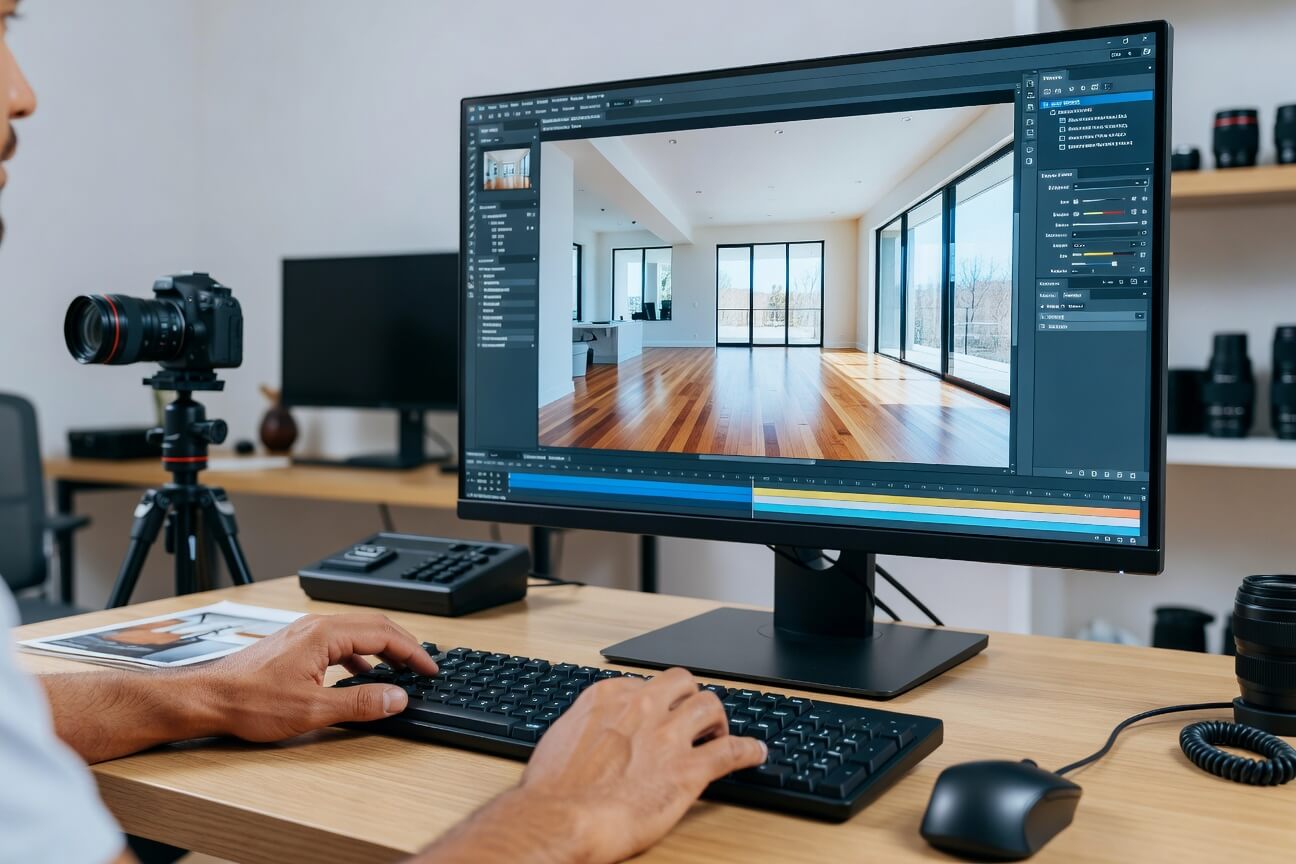
To deliver high‑quality listings at scale, real estate photo and video editing is a core part of your marketing process. It supports clear communication with sellers, gives buyers the visual detail they expect, and helps your brand stay recognizable across portals, campaigns, and social channels. As volumes grow and new formats appear, you need practical guidance on tools, workflow, and trends that you can apply in real projects.
What Real Estate Photo and Video Editing Covers?
At a high level, real estate photo and video editing turns raw captures into clear, attractive, and honest representations of a property. The focus is on accuracy and appeal, not exaggeration.
Editing spans three core areas:
Technical corrections such as color, exposure, sharpness, noise, and stabilization.
Visual storytelling through sequence, pacing, and the selection of “hero” images or clips.
Brand consistency across style, graphics, typography, and tone.
From this, you create multiple output formats: listing images, full video tours, short social clips, teasers, and ads tailored to different channels.
Read more: AI Photo and Video Editing for Real Estate Listings: Features, Tools, and Trends
Real Estate Photo Editing & Key Tools
Photo editing shapes how every room and exterior shot appears in galleries, brochures, and ads.
What Real Estate Photo Editing Includes
Basic corrections: Adjust exposure, contrast, color balance, sharpening, and noise reduction so images look natural and clear, even in mixed or difficult light.
Perspective and lens adjustments: Straighten verticals and horizontals and correct wide‑angle distortion so walls, doors, and windows look realistic rather than warped.
HDR blending & window pulls: Blend multiple exposures to balance bright exteriors with darker interiors, and create natural‑looking windows where views and details remain visible.
Sky replacement & exterior enhancement: Swap dull skies for neutral, clear ones and subtly enhance greenery, driveways, and facades to support curb appeal without misrepresenting the property.
Light decluttering and retouching: Remove small items such as cords, bins, minor blemishes, or sensor dust that distract from the space but do not change its structure.
Brand styling: Apply a consistent color palette, contrast level, and crop ratio so your images align with brand guidelines across markets and photographers.
Common Photo Editing Tool Types
Professional desktop software: Lightroom‑style and Photoshop‑style tools offer granular control over color, detail, and local adjustments, suitable for advanced users.
AI‑assisted photo editors: Tools with one‑click enhancements, automatic sky replacement, and batch workflows that speed up high‑volume correction while preserving manual control when needed.
Cloud editing platforms: Upload–process–download systems that centralize projects, support collaboration, and handle exports for different portals and formats.
Specialized real estate services: Outsourced partners focused on property imagery, combining human editors and automation to scale editing while maintaining consistency and realism.
Real Estate Video Editing & Key Tools
Video editing shapes how buyers experience space, flow, and context before they visit a property.
What Real Estate Video Editing Includes
Story and structure: Build a logical sequence, often starting with the exterior, then moving through living areas, kitchen, bedrooms, and outdoor spaces so viewers never feel lost.
Technical polishing: Apply stabilization, exposure and color correction, sharpening, and noise reduction so footage appears smooth, balanced, and easy to watch.
Pacing and rhythm: Match shot length, transitions, and cuts to the property type and chosen music, giving enough time for key rooms while maintaining momentum.
Brand and information overlays: Add logos, titles, room labels, property specifications, calls to action, and agent details so viewers can act directly from the video.
Platform‑specific versions: Produce horizontal full tours, vertical reels and shorts, and short teaser cuts for ads and social channels, all derived from the same core footage.
Common Video Editing Tool Types
Professional NLEs (non‑linear editors): Full‑featured software designed for detailed control, layered timelines, advanced color work, and complex audio and graphics.
Template‑based editors: Drag‑and‑drop tools with ready‑made real estate layouts, titles, and transitions that allow rapid production with minimal technical expertise.
AI‑driven video platforms: Systems that auto‑cut highlights, add captions, match music, and convert horizontal clips into vertical formats to support short‑form content.
Specialist real estate editing services: Providers that take raw footage and handle professional editing, grading, sound, and multi‑format delivery so teams can concentrate on capture and marketing.
Read more: Virtual Staging for Real Estate: A Complete Guide for Agents and Photographers
A Standardized Workflow for Real Estate Photo & Video Editing
A clear, repeatable workflow helps you handle volume, protect quality, and align with brand standards across teams.
1. Capture & Ingest
Good editing starts with organized source material. Create a folder structure by property, date, and media type (photos, video, drone, 360). Use consistent naming for files and folders so anyone can find what they need. Add basic metadata or tags for property ID, address, and media status to support later search and reporting.
2. Selection & Curation
Next, identify the assets worth editing. Review and flag photos and clips that are sharp, well‑composed, and representative of the property. Mark a smaller set as hero shots for listing covers, thumbnails, and highlight reels. At this stage, remove near‑duplicates and technically flawed files so editors work only on the strongest material.
3. Base Editing (Photos & Video)
Apply broad technical corrections across the selected material. For photos, adjust exposure, white balance, contrast, and basic sharpening. For video, stabilize shaky footage, normalize brightness, and correct color so clips match each other. Simple cropping and straightening for both formats ensure horizons, walls, and verticals look natural. This base pass establishes a clean, neutral look ready for creative decisions.
4. Advanced Enhancements
Once the foundation is set, add targeted refinements.
Photos: Introduce HDR and window pulls where needed, perform gentle retouching to remove small distractions, and use sky replacement selectively to support curb appeal without distorting reality.
Video: Shape pacing with trims and transitions, select music that matches property type, and add simple graphics and lower thirds to introduce key spaces or messages.
This stage turns technically correct media into polished marketing assets.
5. Branding & Platform Optimization
With core edits locked, align everything with your brand and channels. Apply logos, consistent typography, and any standard color treatments or overlays. Export multiple versions tailored to MLS/portals, websites, email, and social - adjusting size, compression, and aspect ratio (horizontal, square, vertical) based on requirements. Ensure thumbnails and opening frames are strong, since they influence click‑through rates.
6. Quality Review & Compliance Check
Before delivery, perform a dedicated review separate from the main editing passes. Confirm that edits remain realistic and do not mislead buyers. Check sharpness, noise, color consistency, and audio clarity. Validate that all brand elements are used correctly and that content respects local regulations and platform rules on edits, disclosures, and information display.
7. Delivery & Archiving
Finally, distribute and store your assets. Share files via cloud links, portals, or direct integrations with listing and marketing platforms. Archive original captures, project files, and final exports with consistent tags so you can quickly locate assets for relists, cross‑selling, or future campaigns. This supports long‑term portfolio management and faster production next time.
Read more: 5 Best Real Estate AI Photo Editor Tools in 2026: Speed, Quality, and Scale
Real Estate Photo & Video Trends to Watch in 2026
Real estate visuals are shifting from simple “nice to have” upgrades to structured, tech‑supported workflows. The trends below highlight where teams are investing and what will shape buyer expectations over the next few years.
AI‑Powered Editing at Scale
AI moves from occasional helper to core infrastructure:
One‑click photo corrections and batch processing for large shoots
Auto‑cuts for short‑form video from longer tours
Style presets that learn from your edits to support consistent branding
Virtual Staging and Augmented Reality (AR)
Digital layers help buyers understand potential without physical staging:
Virtually furnished photos and videos that match target buyer profiles
Early AR tools showing furniture layouts or finishes via phone or tablet
Day‑to‑Dusk and Weather Conversions
Mood and consistency become easier to manage:
Converting cloudy daytime exteriors into warm twilight scenes
Normalizing skies and weather across portfolios to support a unified visual identity
Aerial Photography and Videography
Context and scale gain importance, especially beyond urban condos:
Drone photos and fly‑throughs that highlight lot size, surroundings, and views
Editing that prioritizes smooth motion, clear horizons, and simple neighborhood context
Interactive Virtual Tours and 3D Experiences
Remote exploration is more structured and data‑rich:
360° photos and stitched tours connected with floor plans
Editing and configuration for smooth transitions, intuitive navigation, and consistent image quality
Focus on Human-Centric Storytelling
Listings move closer to lifestyle content:
Videos showing everyday usage, not just empty rooms
More agent‑hosted tours, neighborhood highlights, and subtle “day in the life” moments integrated into core listing media
Read more: Top 5 real estate video editing services that can boost listings
Esoft: A Complete Partner for Real Estate Photo & Video
Esoft works with leading real estate businesses and photographers worldwide, drawing on more than 20 years of experience in property media. Our approach combines AI for speed and scale with skilled human editors who focus on quality, realism, and brand alignment, supported by integrations and APIs that connect to your existing platforms.
Photo services
Esoft’s photo offering covers the full spectrum of listing imagery, including:
Photo enhancement
Retouching
Virtual dusk
Video services
For video, Esoft provides specialized formats designed for different goals and channels:
Emotive video suite
Parallax AI video
Social media video
Essential video solutions
Takeaways
When treated as a disciplined process, real estate photo and video editing supports accurate representation, brand alignment, and more confident buyers. A clear workflow, from capture and curation through base edits, advanced enhancements, and review, creates reliable quality across photos, video tours, and social formats. Emerging capabilities like AI‑powered corrections, virtual staging, 3D tours, and aerials fit best when they serve this structure rather than distract from it. If you’re ready to scale consistent, high‑quality photo and video production across your portfolio, contact Esoft.
Related Blogs
Real Estate Photo and Video Editing Explained: Tools, Workflow, and Trends
Video Editing
Top Video Real Estate Editing Service Providers to Consider in 2026
Video Editing
When Should You Outsource Real Estate Video Editing Services? Key Signs
Video Editing
How Real Estate Video Editing Boosts Property Listings and Sales?
Video Editing
What Is AI Real Estate Photo Editing Software? Features, Benefits, and Use Cases
AI Photo Editing
How AI Real Estate Photo Editing Tools Are Transforming Property Marketing
AI Photo Editing



Linh Phan
Content Strategy Executive
No Spam, Just Updates
Our fresh blogs provide technical and industrial information that helps strengthen your business. Sign up to be the first to receive the new updates
