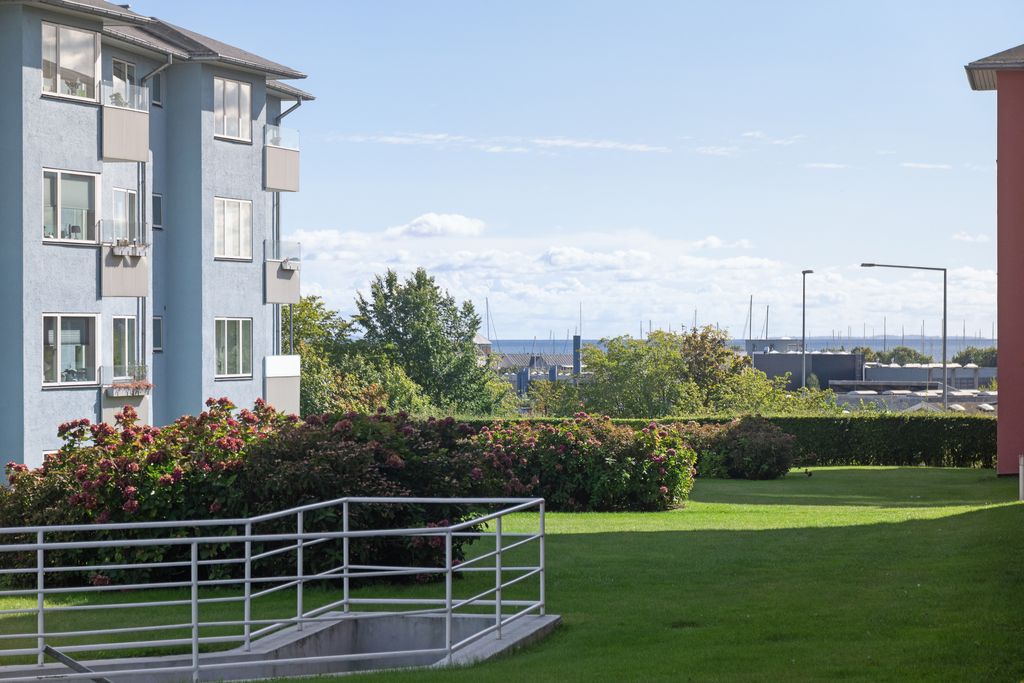
Rain, flat skies, or winter lawns can quietly reduce the impact of an otherwise strong shoot. For real estate photographers, photography editors are the link between “what the weather gave you” and the images your clients expect on portals and social. With the right workflow, you can correct exposure and color, repair skies and landscaping, handle day‑to‑dusk work, and still stay within ethical and MLS rules. In this guide, we will cover practical bad‑weather editing techniques and how to build a scalable, efficient editing pipeline.
Why You Don’t Want ‘Bad Weather’ in Photos?
Bad weather does more than make a listing look dull; it directly affects performance and revenue. When buyers scroll, they judge fast, and weak images can quietly move your property to the bottom of their shortlist.
Key data points to keep in mind:
85% of homebuyers consider photos the most important factor when evaluating a property online (NAR).
Homes with professional photography are 84% more likely to sell within the listing period than those with amateur images.
High‑quality photos are linked to a 47% higher price per square foot (Charles Barnes).
If clouds, rain, or winter lawns drag down your photos, you risk fewer clicks, weaker enquiry, and lower perceived value, even when the property itself is strong.
Photography Editors Tips: How To Fix Bad Weather In Photos?
1. Lay the Foundation With Exposure and Color Correction
Before advanced retouching, fix the fundamentals so every image starts from a clean, consistent base. Cloudy conditions often create underexposed exteriors and dark interiors.
Focus on:
Correcting exposure so both highlights and shadows retain detail.
Adjusting white balance to remove cold, blue casts and restore neutral tones.
Adding moderate contrast and clarity to bring back depth without creating halos.
Using local tools (graduated filters, radial filters, masks) to balance sky and foreground.
Once these steps are done, you can decide whether more advanced weather fixes are actually needed.
2. Use Sky Replacement to Restore Mood and Balance
Sky replacement works best when the original sky is so flat or blown out that it distracts from the home. Before replacing anything, check how light falls on the building and ground. The new sky must match time of day and light direction; otherwise, buyers will feel something is off. Keep choices realistic for the property and market, and use careful selections so rooflines, trees, and antennas blend cleanly.
Use sky replacement when:
The sky is flat overcast, pure white, or very heavy grey
You can match light direction and intensity
A subtle, natural sky will lift the whole frame
Read more: How Real Estate Video Editing Outsourcing Can Enhance Your Business Portfolio
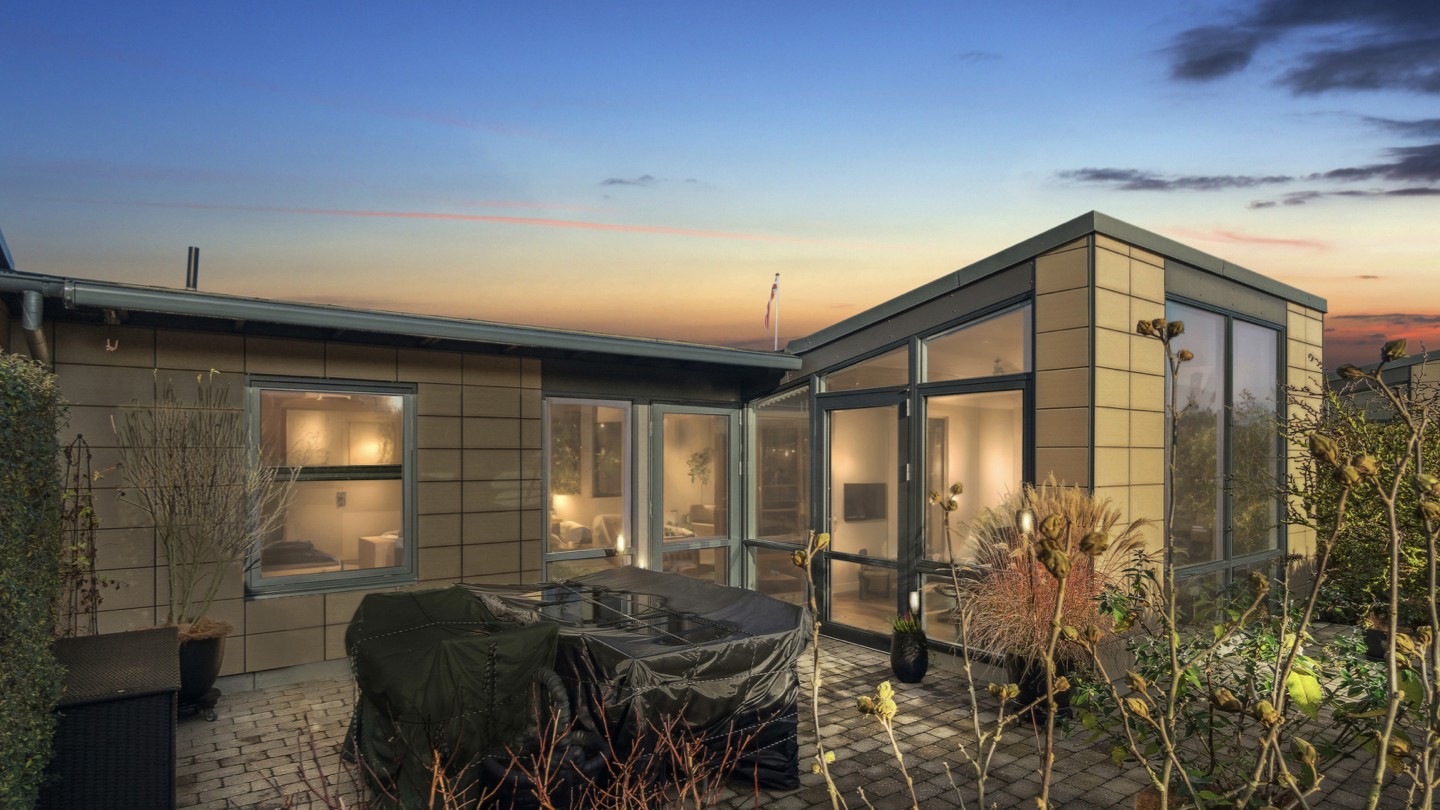
3. Create Warmth and Emotional Appeal With Day‑to‑Dusk Conversions
Day‑to‑dusk (virtual twilight) turns a standard daytime exterior into a warm, evening hero shot. It is ideal for feature images on portals, especially when a property has good exterior lighting, large windows, or attractive outdoor spaces. Shift global color slightly warmer, boost window and exterior light glow, and adjust the sky toward a believable twilight tone. Always keep reflections, shadows, and brightness consistent with an evening scene.
Use day‑to‑dusk for:
One or two hero images per listing
Properties with outdoor lighting and strong facades
Campaigns where you want higher click‑through without misrepresenting features
4. Enhance Lawns and Landscaping After Harsh Weather
Weather can make even well‑kept gardens look flat or patchy. Avoid blanket saturation on the whole image; instead, work selectively on grass, hedges, and trees. Use HSL tools to fine‑tune green tones and luminance, then add gentle dodging and burning to create depth and shape. When areas are beyond rescue, careful digital lawn repair can help, but stop before the garden looks like a different season or climate.
Focus your edits on:
Targeted green HSL adjustments
Light dodging/burning in garden beds and hedges
Minimal, controlled overlays where grass is badly damaged
5. Address Rain, Snow, and Seasonal Challenges
Rain and snow leave marks that can distract buyers, even when the property itself is appealing. You can reduce puddles, soften wet streaks on driveways, and clean raindrops from windows while still keeping the true season. In winter, tidy dirty snow piles and slush, but do not turn a clearly winter scene into full summer if viewers will arrive to find snow. Check reflections on roads, driveways, and glass to ensure they match any edits to the sky and lighting.
Tidy up by:
Minimizing distracting puddles and streaks
Cleaning raindrops and dirty snow piles
Adjusting reflections to match the final sky and light
6. Strengthen Trust Through Realistic Editing
Weather fixes should improve clarity and appeal without changing what the property actually is. Remove temporary distractions but keep permanent features honest. Do not erase power lines, neighboring buildings, structural issues, or major site constraints. Follow MLS and local rules on what is allowed and when edits must be disclosed. Consistent internal standards help your team know where to stop, so edits support stronger marketing while protecting long‑term trust.
Always preserve:
Permanent structures and site conditions
Nearby buildings, roads, and power lines
Alignment with MLS and advertising guidelines
Read more: Real Estate Photography Tips Every Photographer Needs to Know in 2026
How to Best Optimize Your Real Estate Photo Editing Flow?
1. Standardize Your “Bad Weather Fix” Presets and Checklists
Before scaling editing or outsourcing, create simple internal standards. Build a set of presets for cloudy‑day exposure and white balance, plus a short checklist that every file goes through. This keeps your look consistent across photographers, shoots, and seasons, and makes projects far easier to hand off to any editor or partner.
Example weather‑recovery checklist:
Fix exposure and color
Evaluate sky → replace if needed
Enhance lawn/landscaping
Clean up seasonal issues (puddles, dirty snow, heavy leaves)
Final realism/MLS compliance check
2. Separate In‑House Tasks From What You Should Outsource
Not every step needs to stay on your desk. Decide which tasks suit your team and which are better handled by specialists.
Keep in‑house:
Culling and selecting finals
Basic global adjustments for previews or fast client updates
Outsource at scale:
Sky replacement, lawn repair, clutter removal, and day‑to‑dusk
Complex retouching and style consistency across many listings or shooters
This structure lets your team focus on shooting, client relationships, and sales, while repetitive, labour‑heavy work is handled elsewhere.
3. Use Batch Editing and AI as a Pre‑Step, Then Hand Off
Batch tools and AI are ideal for the first pass, not the final image. Let software handle routine corrections, then pass files to human editors for detailed work.
Let AI/batch tools do:
First‑pass exposure and color correction
Basic noise reduction and lens corrections
Then your partner can focus on:
Fine tuning and local adjustments
Weather fixes (skies, lawns, seasonal clean‑up)
Final realism, branding, and MLS checks
This hybrid model keeps costs under control and turnaround fast, while still benefiting from specialist eyes on every listing.
4. Build a Simple, Repeatable Outsourcing Workflow
A clear, repeatable process turns outsourcing into a smooth extension of your daily work. Define each step so anyone on your team can follow it.
Suggested flow:
Shoot → cull → apply base preset
Upload to editing partner with notes or tags
Use checkboxes for needs like “sky replacement,” “day‑to‑dusk,” “lawn enhancement”
Share reference images or a short style guide
Once this is in place, you can manage dozens or hundreds of images per day without overloading your in‑house editors.
5. Set Volume Triggers for When to Outsource More
Plan ahead for busy periods by defining clear thresholds for outsourcing. This prevents last‑minute bottlenecks and keeps quality consistent.
Example triggers:
If you exceed a set number of listings per week, all weather‑fix edits go to your external partner.
All twilight conversions and advanced retouching are always outsourced.
These rules make decisions automatic, so you can respond to peaks in demand without compromising delivery times.
6. Choose an Editing Partner Built for Real Estate Scale
The right partner should feel like an extension of your studio, not just a vendor. Focus on companies that understand real estate and can support your growth.
Look for partners who:
Specialize in real estate imagery, not generic photo editing
Handle large volumes with clear SLAs (e.g., 12–24‑hour turnaround)
Offer portals or API integrations for smooth upload and delivery
With the right setup, you can confidently promise fast, consistent, high‑quality results to your clients in any season and at any volume.
Read more: AI HDR Real Estate Photo Editing vs. Manual: Why It Works and How AI Is Taking Over
Esoft - Your Specialist Partner for Weather‑Resilient Photo Editing
With over 20 years dedicated to real estate, Esoft has built specialist teams, workflows, and style standards around what actually drives listing performance. We support photographers, agents, and media companies who need reliable, high‑volume editing that still respects realism and local rules.
Our core services:
Photo enhancement
Photo retouching
Virtual dusk
Because we work with thousands of real estate images every day, our editors are used to handling bad weather: cloudy exteriors, flat skies, rain, snow, and tired seasonal landscaping. With clear guidelines for realism and MLS alignment, Esoft becomes a specialist extension of your team, helping you deliver consistent, weather‑proof visuals across all your listings and channels.
Takeaways
When weather works against you, skilled photography editors turn flat, grey shoots into clear, honest, and market‑ready images. By fixing exposure and color, repairing skies and lawns, handling rain and snow, and staying within ethical and MLS guidelines, you protect both listing performance and long‑term trust. A structured workflow, smart use of AI, and the right outsourcing partner make this scalable across busy seasons and high volumes. If you want an experienced team to handle your bad‑weather edits and broader photo workflows, let us help!
Related Blogs

Real Estate Photography Editing Services For Luxury Listings, What's The Difference?
Photo Editing
Virtual Staging Real Estate Software: What AI Can Do Vs. What It Can’t
3D Visualization
Photography Editors Tips: How To Fix Bad Weather In Photos
Photo Editing
Virtual Staging for Real Estate: A Complete Guide for Agents and Photographers
3D Visualization



Linh Phan
Content Strategy Executive
No Spam, Just Updates
Our fresh blogs provide technical and industrial information that helps strengthen your business. Sign up to be the first to receive the new updates
