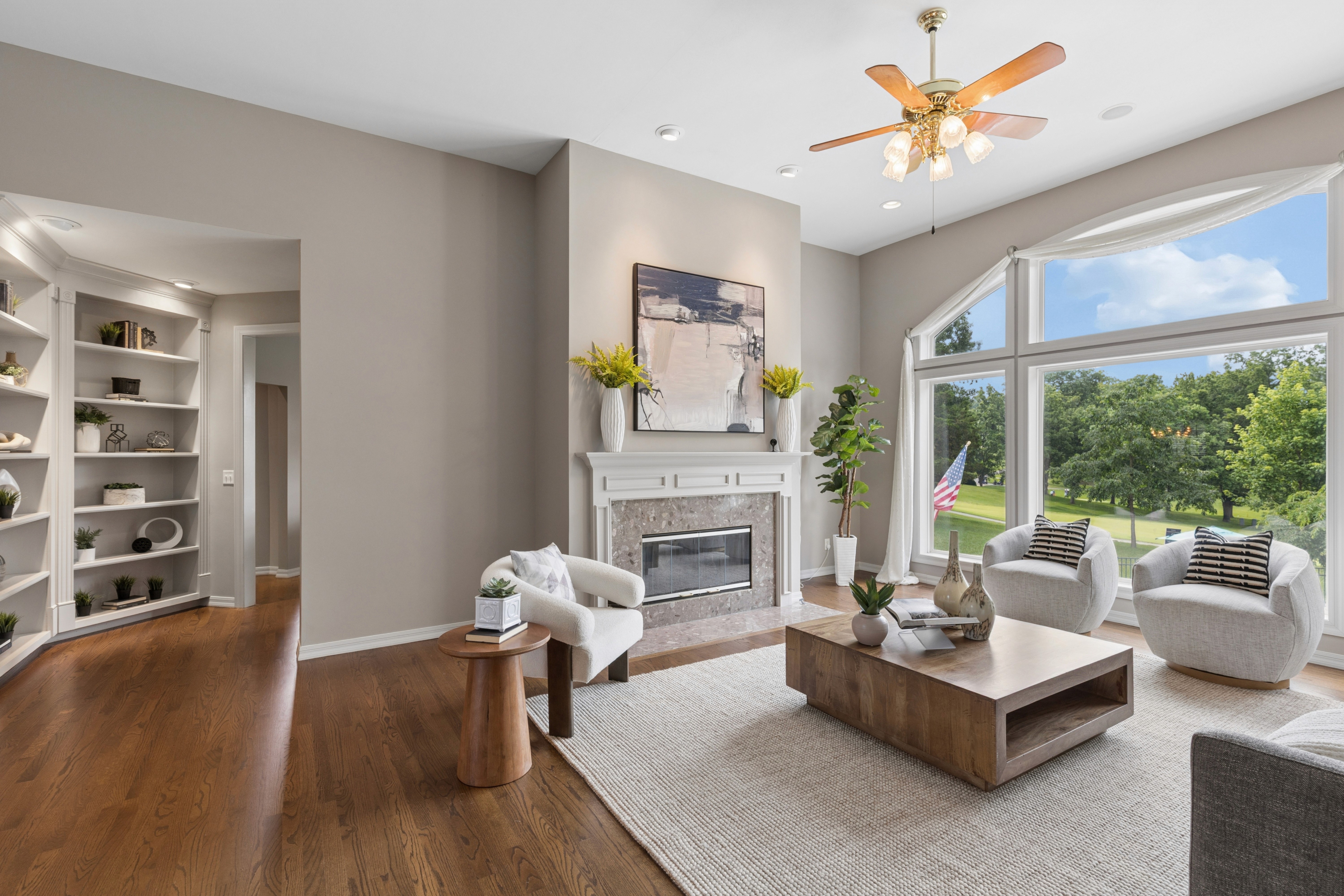
High‑volume listing work makes small image errors visible very quickly: bent walls, odd window views, off‑color interiors, and virtual staging that feels slightly off. AI photo editing for real estate can handle large batches and repeatable corrections, but accuracy standards still sit with marketing leaders, photographers, and editing partners. The strongest setups mix AI speed with clear rules, QA steps, and specialist oversight, so every set looks consistent across portals, campaigns, and seasons.
Together with Esoft, this article explores key AI accuracy challenges, practical solutions, and the most suitable tools for real estate teams looking to improve efficiency and decision-making.
What is Real Estate Photo Editing AI?
Real estate photo editing AI refers to software that analyses property images and applies adjustments based on patterns it has learned from large training sets. Instead of editing each frame by hand, teams configure rules, presets, and workflows, then let the system handle a large part of the technical corrections.
Typical functions include:
Detecting interiors, exteriors, and detail shots and applying suitable corrections.
Adjusting exposure, contrast, color balance, and sharpness across full sets.
Fixing geometry issues such as tilted verticals or lens distortion.
Cleaning minor distractions and enhancing skies, windows, and lawns.
In practice, AI photo editing for real estate sits alongside human editors, who focus on complex scenes, quality checks, and brand‑specific adjustments.

See more articles: 5 Best Real Estate AI Photo Editor Tools in 2026: Speed, Quality, and Scale
The Advantages of Editing Photos with AI
AI photo editing for real estate brings practical gains in speed, consistency, and resource use, plus room for controlled creative variations. The value appears most clearly once teams move from a few listings to steady, portfolio‑level volumes.
Speed and scale
AI systems handle many similar edits at once, which shortens production cycles for busy seasons and large portfolios.
Faster turnaround for big listing batches during peaks.
Automated corrections for exposure, contrast, and geometry across hundreds of files.
Less queue time between photography, editing, and marketing launch.
Consistency
With the right presets, AI produces images that look like they belong to the same series, even when photographers, cameras, or weather conditions differ.
More uniform brightness, color, and contrast across entire sets.
Presets aligned to brand style, portal standards, and regional expectations.
Reduced risk of odd one‑off edits that stand out in galleries or campaigns.
Cost and resource efficiency
When AI handles repeatable work, creative staff can focus on scenes that truly influence buyer perception.
Fewer manual hours on simple, low‑complexity corrections.
Editors can concentrate on luxury listings, tricky interiors, and brand‑critical images.
Smoother planning of editing capacity across offices and seasons.
New creative options
AI also opens new options that once required niche skills or long manual sessions.
Easier virtual staging and decluttering for unfurnished or busy spaces.
Controlled sky replacement and ambience adjustments that match property type.
Quick creation of image variants for A/B tests, remarketing, and targeted campaigns.
See more articles: AI Photo and Video Editing for Real Estate Listings: Features, Tools, and Trends
Common AI Accuracy Mistakes and How to Solve Them
Even strong AI photo editing for real estate can drift off course without guardrails. The most frequent issues sit around geometry, generative content, windows/skies, and color. Clear rules plus light QA go a long way.
1. Distorted Proportions & Warped Walls
What goes wrong
Over‑aggressive perspective correction bends lines and stretches rooms.
Spaces look deeper, taller, or wider than they are in reality.
How to solve
Set gentler perspective rules and check verticals against a grid or overlay.
Define hard limits in presets, for example: “vertical adjustment capped at X%.”
Route flagged images (ultra‑wide lenses, tight corners, tall rooms) to an editor before delivery.
2. Misleading Generative Fills & Virtual Staging
What goes wrong
Furniture scale, style, or region feels off for the target buyer.
Generative content introduces elements that do not exist (views, fireplaces, finishes).
How to solve
Document clear boundaries for generation: no structural edits, no fake views, no layout changes.
Build style libraries tied to buyer segment and property category.
Send all virtually staged or heavily generated images through a final human pass.
3. Flawed Window Pulls & AI Sky Replacements
What goes wrong
Window views look artificial, with halos, crunching, or mismatched exposure.
Skies clash with time of day, reflections, or interior light levels.
How to solve
Configure HDR and sky tools around “natural first” rather than extreme detail.
Define acceptable contrast and detail levels for windows in each market.
Spot‑check exteriors and key window shots in every batch and adjust presets as needed.
4. Color Casts & Inaccurate White Balance
What goes wrong
Mixed lighting leads AI to push images too warm, too cool, or slightly green.
Wall colors, flooring, or finishes deviate from how they look onsite.
How to solve
Set target ranges for temperature and tint per brand and region.
Use reference shots or gray cards during capture when possible.
Add a dedicated QA pass focused only on color consistency across the full set.
See more articles: What Is AI Real Estate Photo Editing Software? Features, Benefits, and Use Cases
Top AI Photo Editing for Real Estate that Solves These Mistakes
Once common error patterns are clear, tool choice becomes easier. The options below focus on accuracy for property images, with different fits for enterprise media providers and smaller teams.
1. Autopix by Esoft – Accuracy‑First AI Photo Editing for Real Estate
Type: Dedicated AI photo editing service for property images.
Autopix delivers consistent, accurate listing photos at scale for real estate media businesses. Built by Esoft’s specialists, it draws on large‑volume workflow data and direct input from professional photographers. The platform focuses on reliable geometry, natural windows and skies, and brand‑tuned color, while supporting rapid growth through a post‑paid pricing model from $0.3 per image.
Strengths related to common mistakes:
Distorted proportions and warped walls: geometry presets designed for interiors, with safeguards that prevent extreme stretching.
Flawed window pulls and sky replacements: HDR and sky logic tuned around natural, listing‑ready output rather than exaggerated effects.
Color casts and white balance issues: brand‑aligned ranges for exposure and color that stay true to the property.
Operational advantages:
Affordable, transparent per‑image pricing with post‑paid billing.
Fast upload and secure storage suited to growing volumes.
Flexible delivery: direct in Coconut, through partner platforms, or via API.
Ongoing support from Esoft’s customer teams and account managers.
Best for: B2B real estate media providers and larger teams that need batch‑consistent, accuracy‑driven AI output across many clients and markets.
2. Styldod AI – AI‑Enhanced Virtual Staging and Image Clean‑Up
Type: AI‑driven virtual staging and enhancement service.
Styldod AI centres on staging and light enhancements for listing photos. It suits real estate photographers and small studios that want fast virtual furniture, decluttering, and tidy base corrections without complex configuration. Staging styles align with typical buyer profiles, which reduces the risk of odd generative choices.
Strengths related to common mistakes:
Misleading generative fills & virtual staging: curated style sets and scale‑aware staging that reduce unrealistic furniture and decor.
Minor distractions and clutter: targeted item removal and clean‑up for everyday interiors.
Basic exposure and color issues: simple adjustments that bring images closer to portal‑ready quality.
Operational advantages:
Web‑based interface with straightforward job submission.
Turnarounds that match the pace of small studios and independent photographers.
Pricing oriented around occasional projects and compact portfolios.
Best for: Small teams and photographers that prioritise virtual staging and clean‑up on top of standard edits, without an enterprise‑level workflow.
3. EstatePass Photo Enhance – One‑Click AI Listing Enhancement
Type: Lightweight AI enhancement tool for listing photos.
EstatePass Photo Enhance focuses on single‑step adjustments for agents and lean media teams. The workflow centres on quick exposure, contrast, and clarity refinements, which supports basic quality control when time or budget for detailed editing is limited.
Strengths related to common mistakes:
General exposure and contrast issues: global enhancements that avoid overly harsh or flat images.
Mild color casts: automatic balance adjustments that move photos closer to neutral.
Set‑level consistency: simple presets that nudge a batch of images toward a similar look.
Operational advantages:
One‑click style editing suited to non‑specialists.
Cloud access for use across laptops and mobile devices.
Flexible per‑image or light subscription pricing for compact teams.
Best for: Individual agents and small internal teams that need straightforward AI enhancement for everyday listings rather than a full production pipeline.
Comparison Table: Top AI Photo Editing for Real Estate
Tool | Primary focus | Key strengths for accuracy issues | Best suited for | Pricing / model (high level) |
Autopix by Esoft | Enterprise‑grade AI photo editing for real estate | Geometry control, natural windows and skies, brand‑tuned color; secure, scalable workflows backed by real estate specialists | Real estate media providers, large marketing teams | From $0.3 per image, post‑paid billing |
Styldod AI | Virtual staging and clean‑up | Style‑aware virtual staging, decluttering, and simple enhancements that reduce staging‑related errors | Small studios, photographers, boutique agencies | Project‑based or per‑image options |
EstatePass Photo Enhance | One‑click listing enhancement | Fast global corrections for exposure, contrast, and minor color issues; basic safeguard against harsh or dull straight‑from‑camera files | Individual agents and compact internal teams | Per‑image or lightweight subscription plans |
Conclusion
Accuracy issues in listing photos are often predictable: geometry drift, risky generative content, harsh windows and skies, and color that shifts away from reality. AI photo editing for real estate addresses these points when it sits inside clear rules, QA steps, and tool choices that match team size and listing volume. Autopix targets accuracy and scale for media providers, while lighter tools such as Styldod AI and EstatePass Photo Enhance suit smaller setups and everyday listings.
Contact Esoft to explore Autopix and tailored real estate photo editing solutions for your portfolio.
Related Blogs

AI Real Estate Photography Editing: A Scalable Workflow for Growing Businesses
AI Photo Editing

AI HDR Photo Editing Service: Fix Blue Sky Interior while Maintaining Batch Consistency for large orders
AI Photo Editing

AI Real Estate Photos Explained: Reduce Editing Time Without Sacrificing Quality
AI Photo Editing
Best AI Photo Video Editing Tools for Real Estate Marketing Teams in 2026
Video Editing
Manual vs AI Real Estate Photo Enhancement Services: Speed, Quality, and Cost
AI Photo Editing



Linh Phan
Content Strategy Executive
No Spam, Just Updates
Our fresh blogs provide technical and industrial information that helps strengthen your business. Sign up to be the first to receive the new updates